
File Browser
The File Browser is the heart of your project management in Acode. It allows you to manage files from internal storage, external SD cards (via SAF), and remote servers (FTP/SFTP).
Home View
The Home View acts as the centralized hub for all your file connections.

Top Bar Actions
| Icon | Name | Description |
|---|---|---|
| Selection Mode | Toggles selection mode to select multiple items (for batch delete, etc.). | |
| Add Connection | Opens a menu to add new storage paths or remote connections. | |
| Menu | Access global file browser settings and actions. |
Add Connection Options
- Add Path: select a local folder (e.g., from external SD card or internal storage) using the Android Storage Access Framework (SAF).
- Add FTP: Setup a connection to a standard FTP server.
- Add SFTP: Setup a secure connection to an SFTP server.
Menu Options
- Settings: Configure file browser behavior (e.g., show hidden files, sorting).
- Reset Connections: Clear all saved remote connections and paths.
- Reload: Refresh the list of connections.
Project & Folder View
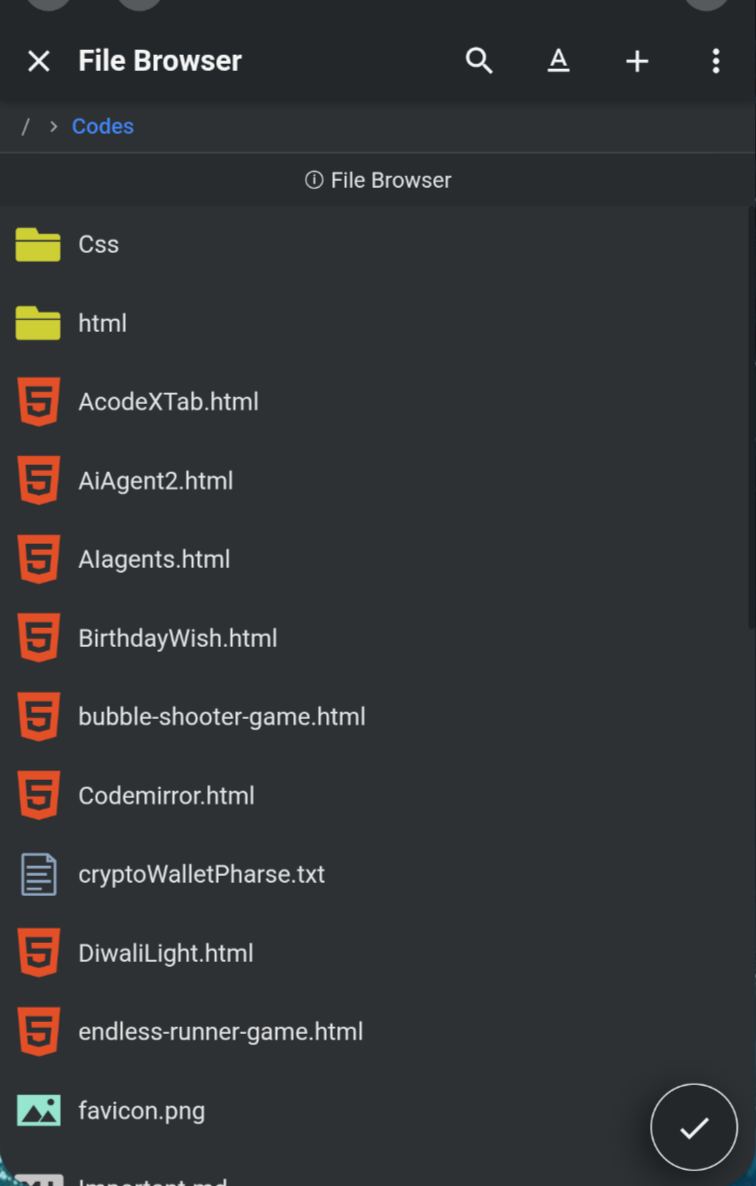
Navigating into a folder or project changes the available tools to focus on content creation.
Managing Files
When inside a folder, the button allows you to create content:
- New File: Create a blank file.
- New Folder: Create a new subdirectory.
- New Project: Initialize a project from built-in templates.
- Import Project: Extract and import a project from a
.zipfile.
Context Actions (Long Press)
Pro Tip
Long press on any file or folder to reveal the context menu.
- Delete: Remove the item permanently.
- Rename: Change the name of the file or folder.
- Info: View properties like size, permission, and full path.
- Open With: Force open a file with a specific mode or external app.
- Copy URI: Copy the file's path to your clipboard.
Active Workspace
Open Folder
At the bottom right (or via the check button), you will see an Open button ().
Clicking this sets the currently visible folder as your Active Workspace in the sidebar. This loads the folder into the side panel for quick access while editing files.