
App Settings
General application behavior and preferences.
QuickTools
| Setting | Description |
|---|---|
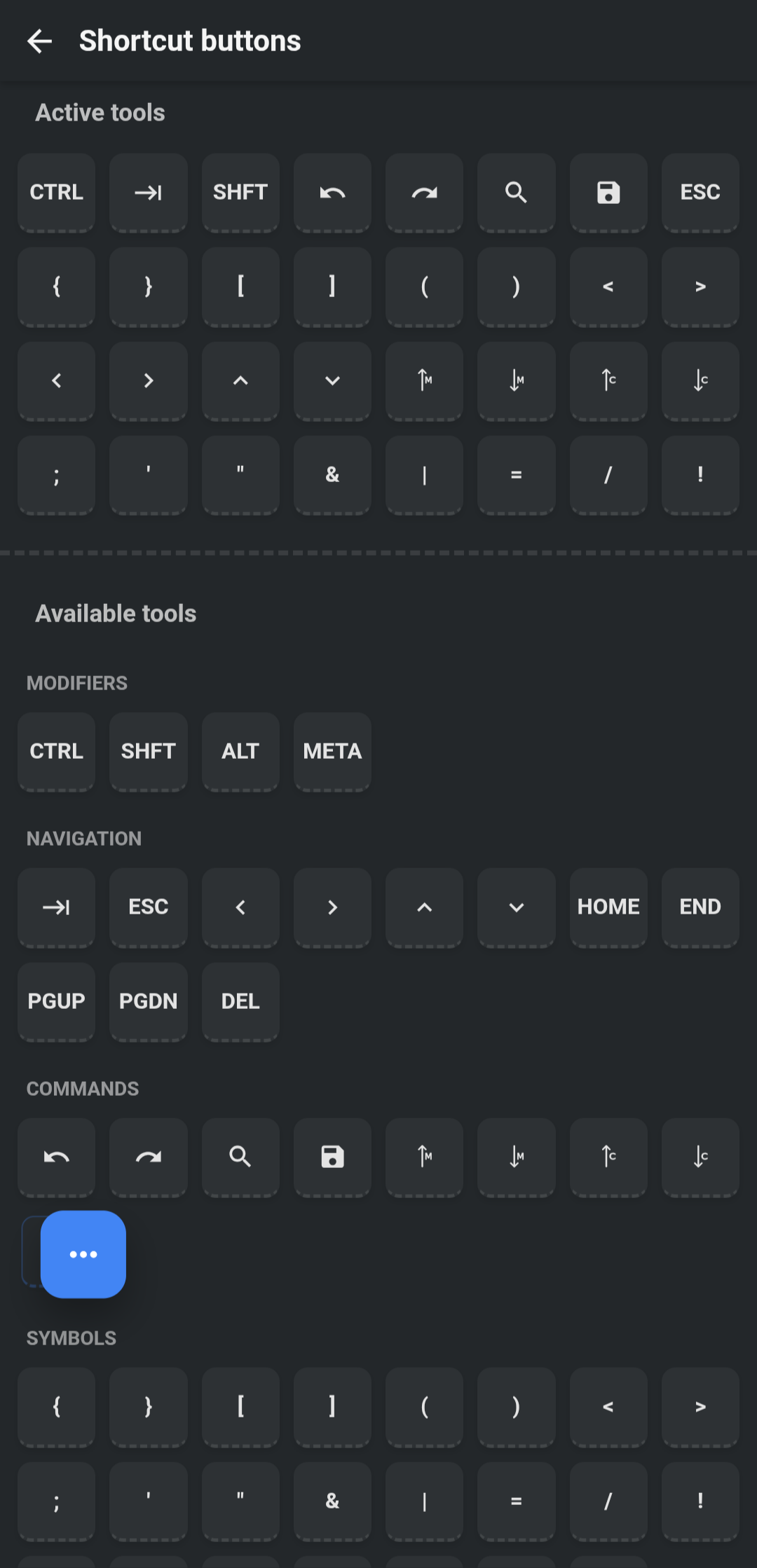
| Shortcut Buttons | Configure the QuickTools bar. Drag and drop to reorder or add tools. |
| QuickTools | Toggle the visibility of the QuickTools bar. |
| Floating Button | Show or hide the floating trigger button for QuickTools. |
| Trigger Mode | Touch or Click. Use 'Click' if using an external mouse. |
Files & Folders
| Setting | Description |
|---|---|
| Active Files | Choose where to show active files: Tab area (header), Sidebar, or Bottom. |
| Remember Files | Reopen previously open file tabs on app launch. |
| Remember Folders | Reopen previously open folders on app launch. |
| Check File Changes | Monitor files for external changes and notify/reload when opened. |
| Exclude Files | Glob patterns to exclude from sidebar indexing and search (e.g., **/node_modules/**). |
Appearance & Input
| Setting | Description |
|---|---|
| Fonts | Manage and add custom fonts to be used in editor or terminal. |
| Icon pack | File and folder icons in the sidebar, tabs, and file lists. Builtin is always available; plugin packs appear after they register. |
| Animation | Control app animations: System (default), Yes, No. |
| Change Language | Switch app language (English, Hindi, Spanish, etc.). |
| Fullscreen | Hide title bar extra area and congested spacing for a larger workspace. (Disabled by default). |
| Show Side Buttons | Toggle visibility of right-side utility buttons (e.g., Problems). |
Keyboard & Input
| Setting | Description |
|---|---|
| Keybindings | Customize shortcuts for the App and Editor. |
| Keyboard Mode | Normal, No Suggestion, No Suggestion Aggressive (Default). Helps prevent issues with mobile keyboard autosuggest. |
| Touch Move Threshold | Adjust sensitivity for touch moves (default: 0.2). Increase if you experience accidental scrolling. |
| Vibrate on Tab | Haptic feedback when interacting. |
Network & Updates
| Setting | Description |
|---|---|
| Check for Updates | Check GitHub releases for the latest app version on app launch. |
| Retry Remote | Automatically retry FTP/SFTP connections on failure. |
Advanced
| Setting | Description |
|---|---|
| Console | Choose the JavaScript console: Legacy (simple) or Eruda (full-featured). |
| Default Encoding | Set default character encoding for opening files. |
| Clean Install State | Clear plugin installation states. Useful if a plugin installation gets stuck or for debugging. |
| Confirm on Exit | Ask for confirmation before closing the app. |